> For the complete documentation index, see [llms.txt](https://help.safebooks.vn/safebooks/llms.txt). Markdown versions of documentation pages are available by appending `.md` to page URLs; this page is available as [Markdown](https://help.safebooks.vn/safebooks/tien-mat/tien-ich/kiem-tra-chi-tien-duoi-muc-ton-quy-toi-thieu.md).
# Kiểm tra chi tiền dưới mức tồn quỹ tối thiểu
Tài liệu giúp người dùng có thể kiểm soát lượng tiền dư quỹ, không để chi âm tiền vượt mức dư quỹ tối thiểu
## Khai báo hệ thống
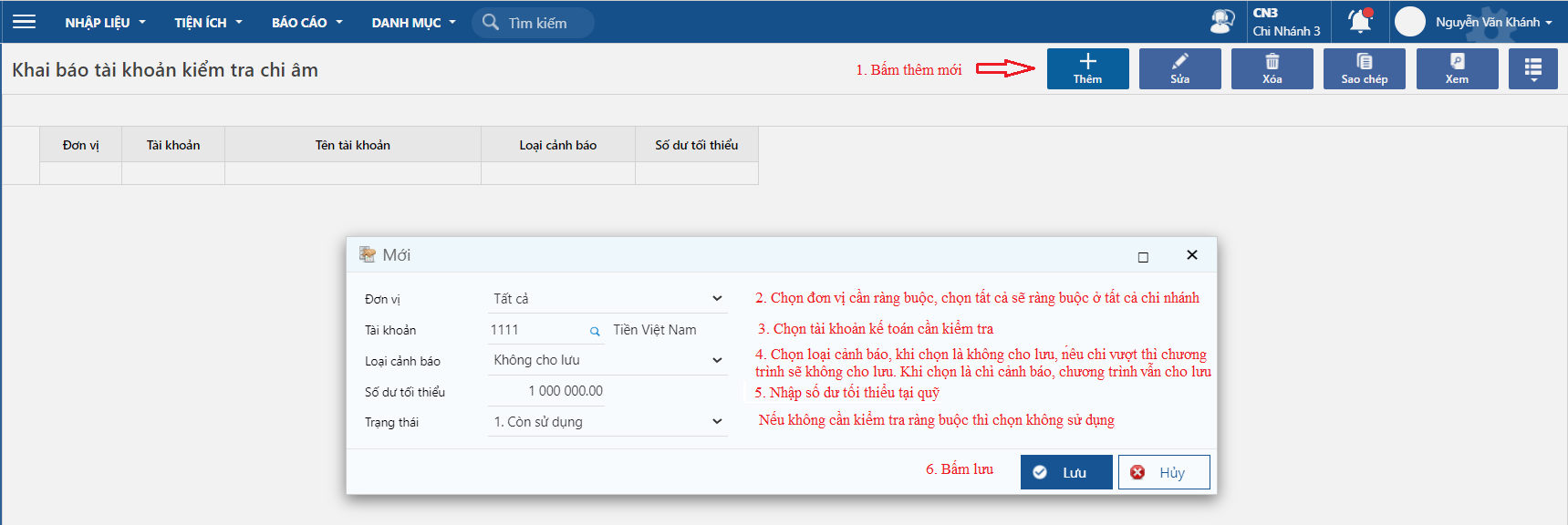
### Khai báo tài khoản kiểm tra chi âm
Đường dẫn:
* ***Tiền mặt/Tiện ích/Khai báo tài khoản kiểm tra chi âm***
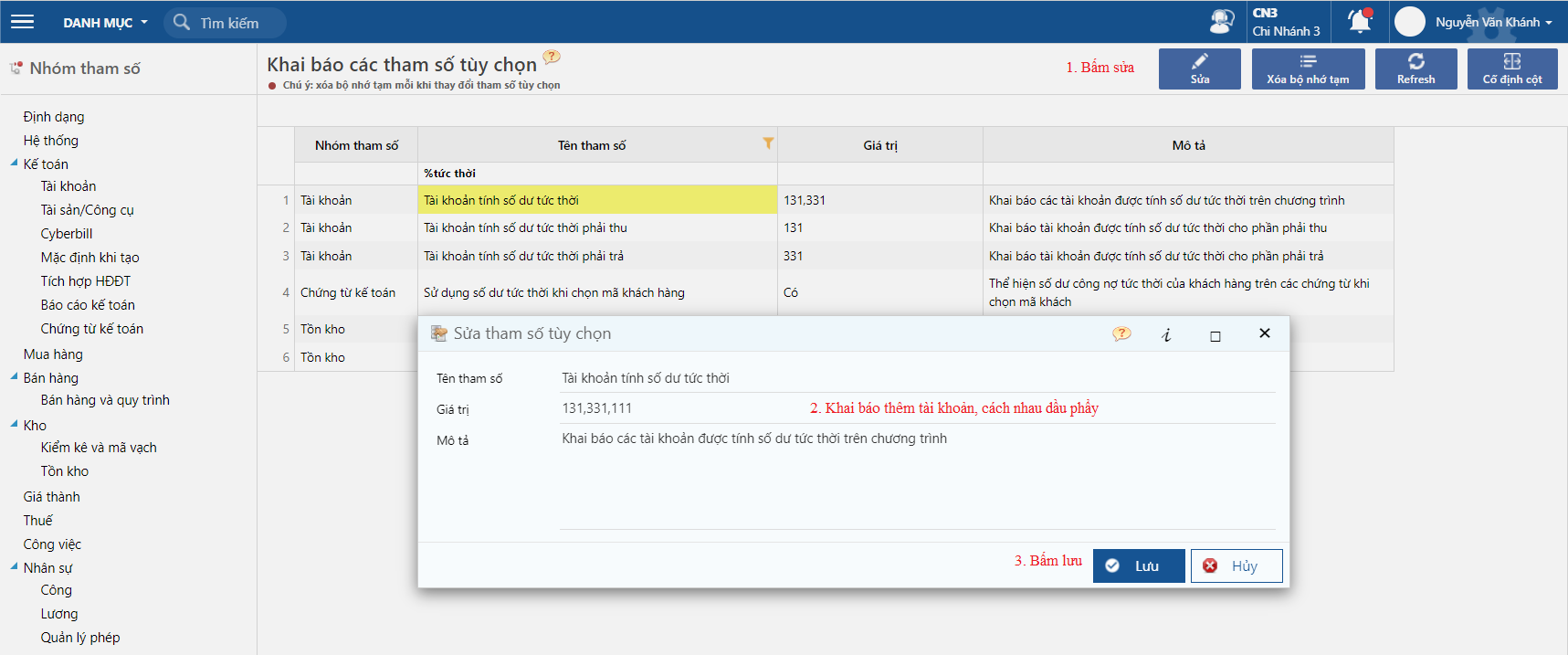
### Tài khoản tính số dư tức thời
Đường dẫn: ***Hệ thống/ Tham số & khóa số liệu/ Khai báo tham số/ Tài khoản tính số dư tức thời***
## Hướng dẫn thao tác
**Bước 1:** Chứng từ chi tiền
Đường dẫn: ***Tiền mặt/ Nhập liệu/ Hạch toán/ Phiếu chi tiền***
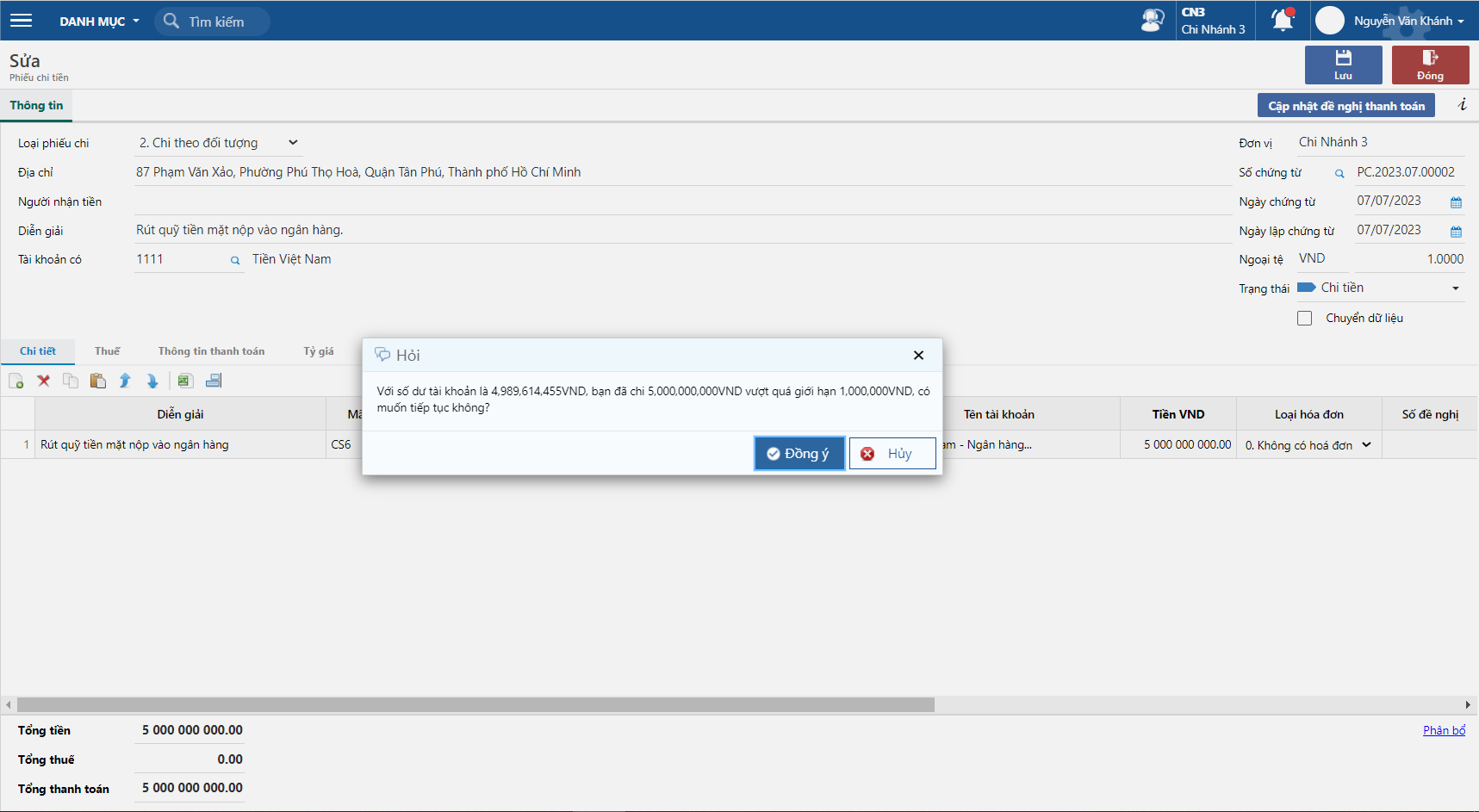
Khi chọn không cho lưu chương trình sẽ không cho phép lưu chứng từ vì vượt quá số dư tối thiểu
Khi chọn loại cảnh báo là chỉ cảnh báo, khi bấm đồng ý vẫn có thể lưu chứng từ
.png?alt=media)