> For the complete documentation index, see [llms.txt](https://help.safebooks.vn/safebooks/llms.txt). Markdown versions of documentation pages are available by appending `.md` to page URLs; this page is available as [Markdown](https://help.safebooks.vn/safebooks/quan-ly-hoa-don/lay-du-lieu-hoa-don-dau-vao.md).
# Lấy dữ liệu hóa đơn đầu vào
* Lấy và đọc toàn bộ hoá đơn đầu vào của doanh nghiệp, giúp tự động hóa quy trình nhập liệu và giảm thiểu sai sót do nhập liệu thủ công.
* Chuyển đổi các thông tin của hoá đơn đầu vào dưới định dạng XML và hiển thị lên màn hình nhập liệu.
* Hiển thị mẫu in của hoá đơn điện tử.
## Các bước thực hiện
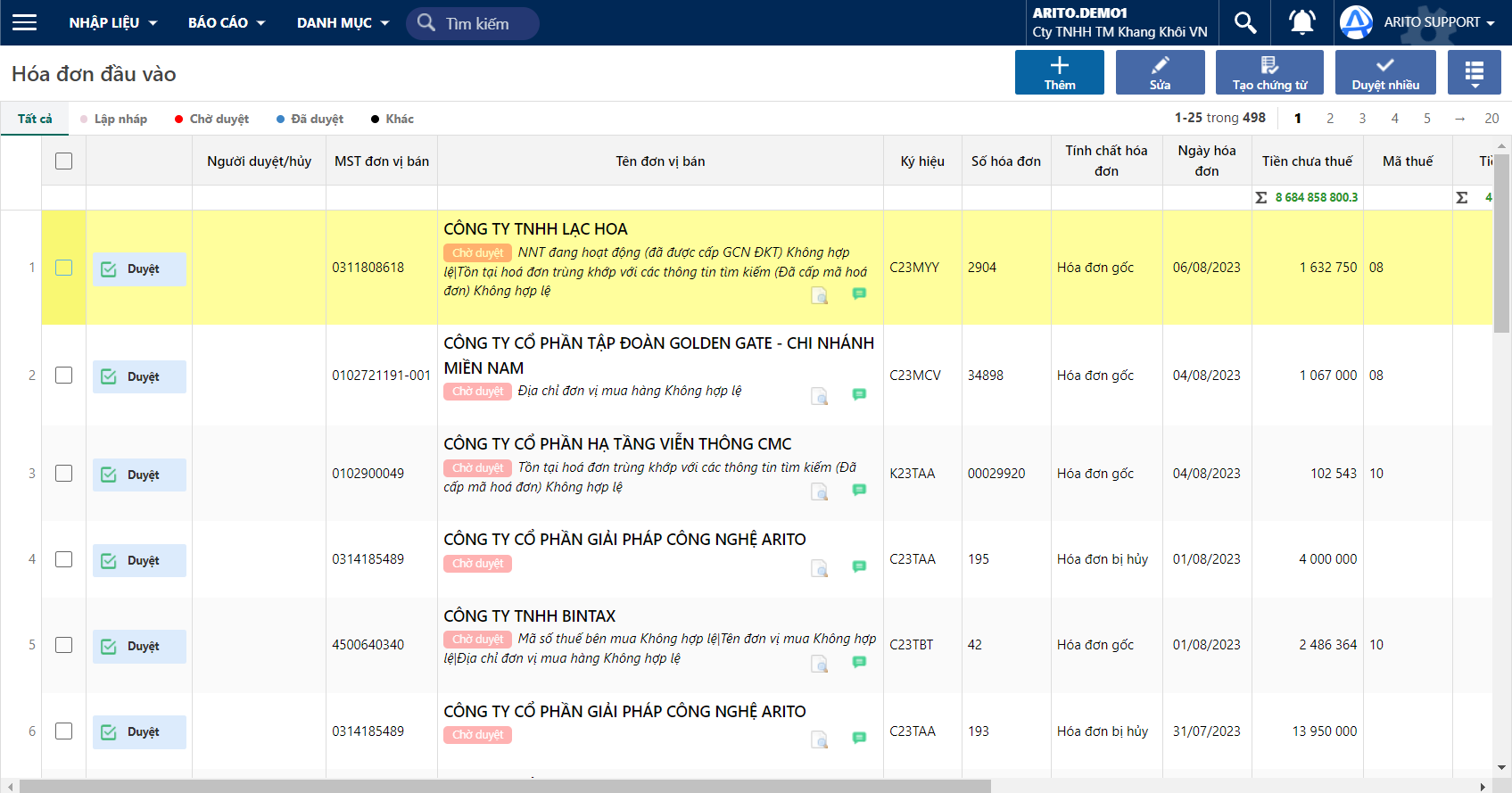
Chương trình tự động lấy hóa đơn từ hộp Mail ( hoặc từ Tổng cục thuế ) về tại màn hình Mua vào/ Bán ra.
Các hóa đơn được lấy về cập nhật sẽ có trạng thái **Chờ duyệt.**
Trường hợp chương trình chưa kịp cập nhật tự động hoá đơn thì người dùng có thể lấy ngay hoá đơn về bằng cách nhấn **Lấy dữ liệu hoá đơn mới.**