> For the complete documentation index, see [llms.txt](https://help.safebooks.vn/safebooks/llms.txt). Markdown versions of documentation pages are available by appending `.md` to page URLs; this page is available as [Markdown](https://help.safebooks.vn/safebooks/bat-dau-s-dung/thiet-lap-he-thong/khai-bao-cac-thong-tin-mac-dinh-theo-tai-khoan.md).
# Khai báo các thông tin mặc định theo tài khoản
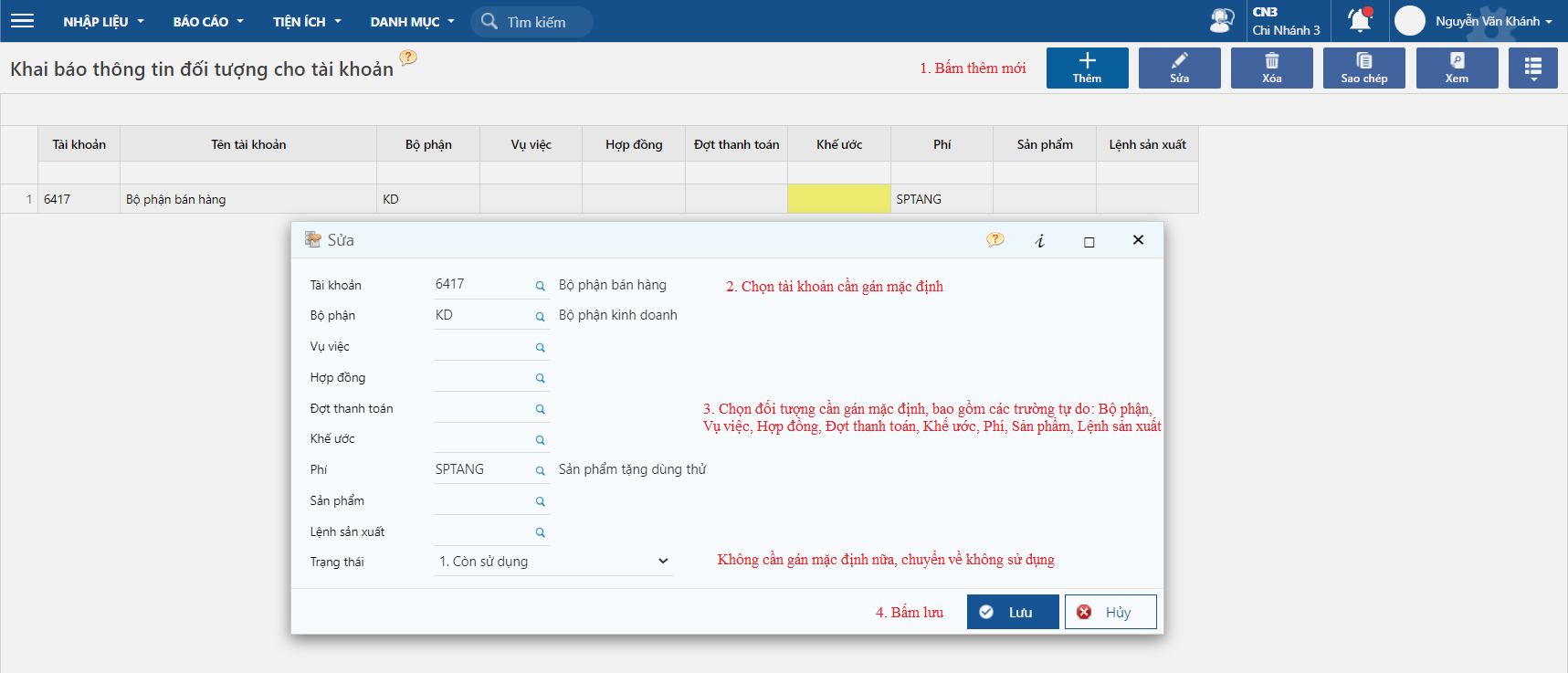
Tính năng khai báo thông tin đối tượng cho tài khoản, giúp cho người dùng bớt thao tác nhập liệu trên các chứng từ, khi hạch toán tài khoản được khai báo, chương trình sẽ gán các đối tượng này vào sổ sách kế toán
## Khai báo hệ thống
Khai báo thông tin đối tượng cho tài khoản kế toán
Đường dẫn: **Tổng hợp/ Nhập liệu/ Khai báo/ Khai báo thông tin đối tượng cho tài khoản kế toán**
## Hướng dẫn thao tác
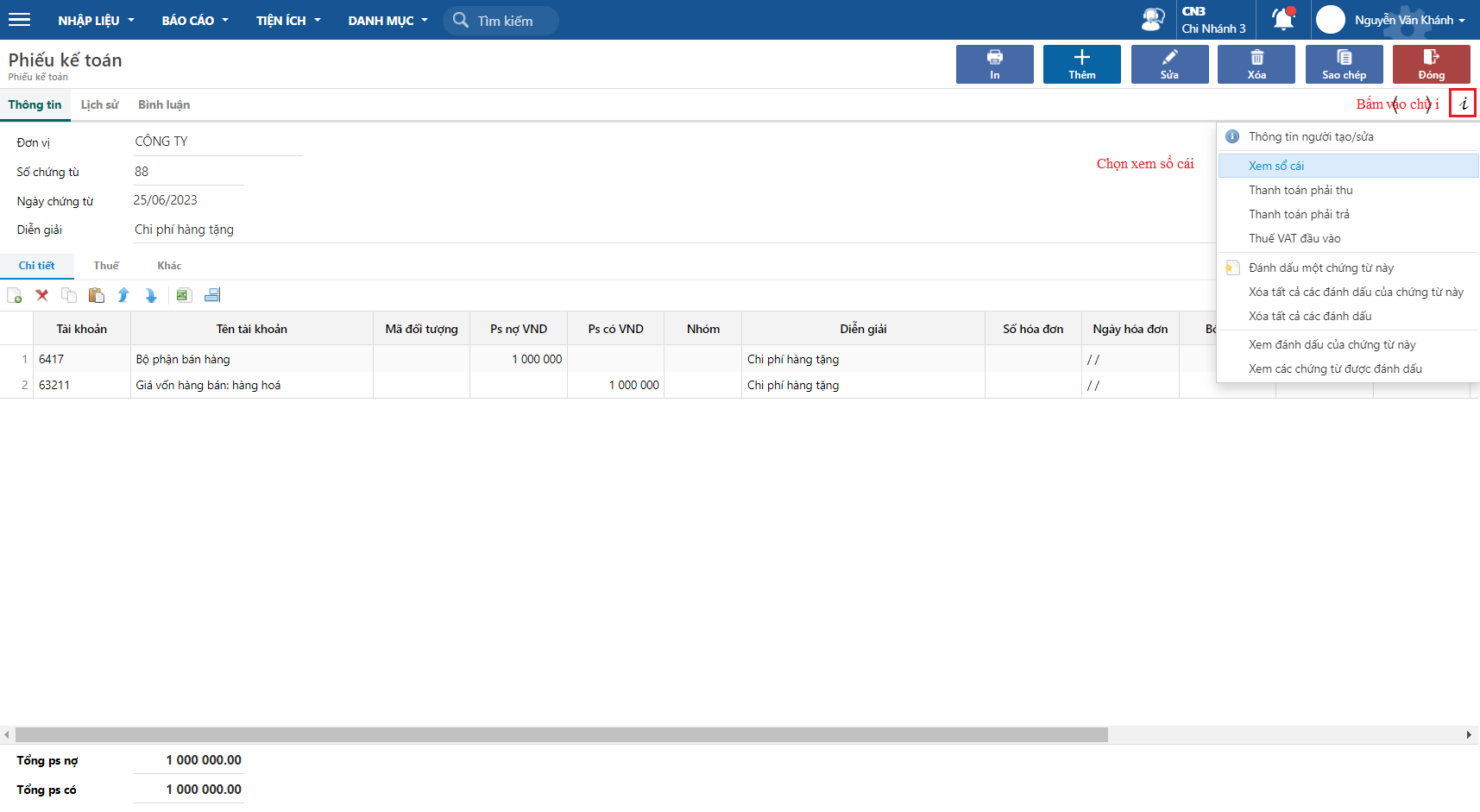
Phiếu kế toán
Đường dẫn: ***Tổng hợp/ Nhập liệu/ Hạch toán/ Phiếu kế toán***
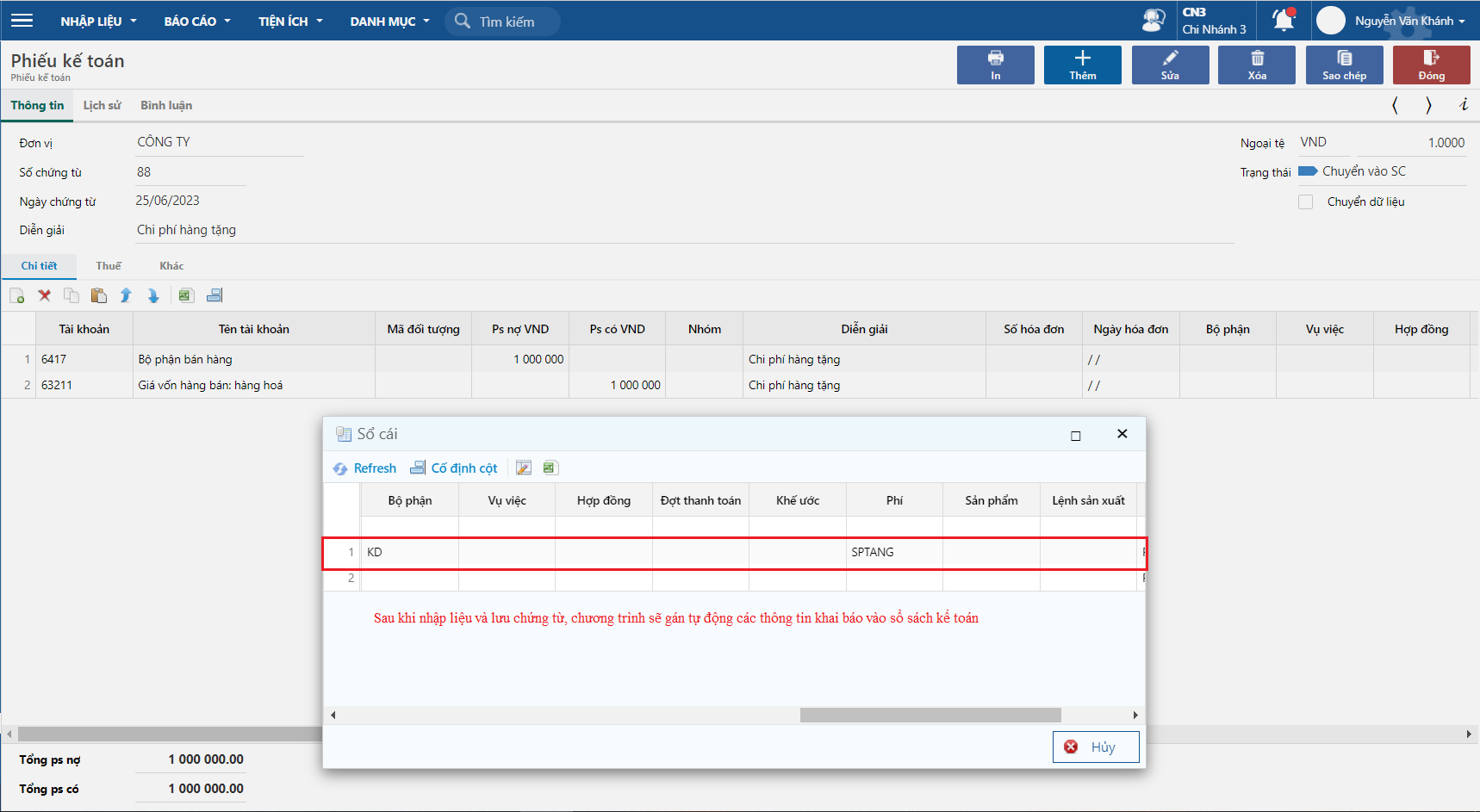
Sau khi nhập liệu
Chương trình tự động gán các đối tượng được khai báo